
What Is the Best Jewelry for Zoom Calls

Home → Jewelry → What Is the Best Jewelry for Zoom Calls
What Is the Best Jewelry for Zoom Calls
Published: January 08, 2026 | 0 Comments
Video calls have transformed how we present ourselves professionally and socially. The camera creates unique challenges and opportunities for jewelry styling that differ significantly from in-person appearance. What looks perfect in the mirror may disappear on screen or create distracting glare.
Understanding how cameras capture jewelry helps you select pieces that enhance your video presence. Factors like lighting, camera angle, and frame boundaries all influence which jewelry reads well on screen.
This guide covers jewelry selection strategies specifically for video calls, helping you look polished and professional regardless of your webcam quality or lighting conditions.
Table of Contents
- How Cameras See Jewelry
- Best Jewelry Choices for Video
- Colors and Metals That Pop
- What to Avoid on Camera
- Styling Tips for Different Call Types
- Frequently Asked Questions
How Cameras See Jewelry
Cameras compress dimension, making flat appearances more pronounced. Jewelry that creates depth and dimension in person may look one-dimensional on screen. Pieces with texture and movement translate better than smooth, flat surfaces.
Lighting dramatically affects how jewelry appears on video. Overhead lighting, common in home offices, can create harsh shadows and excessive sparkle. Side lighting generally produces more flattering jewelry visibility.
- Cameras flatten dimensional appearance
- Lighting affects sparkle and visibility
- Small details often disappear
- Movement catches the eye
Best Jewelry Choices for Video
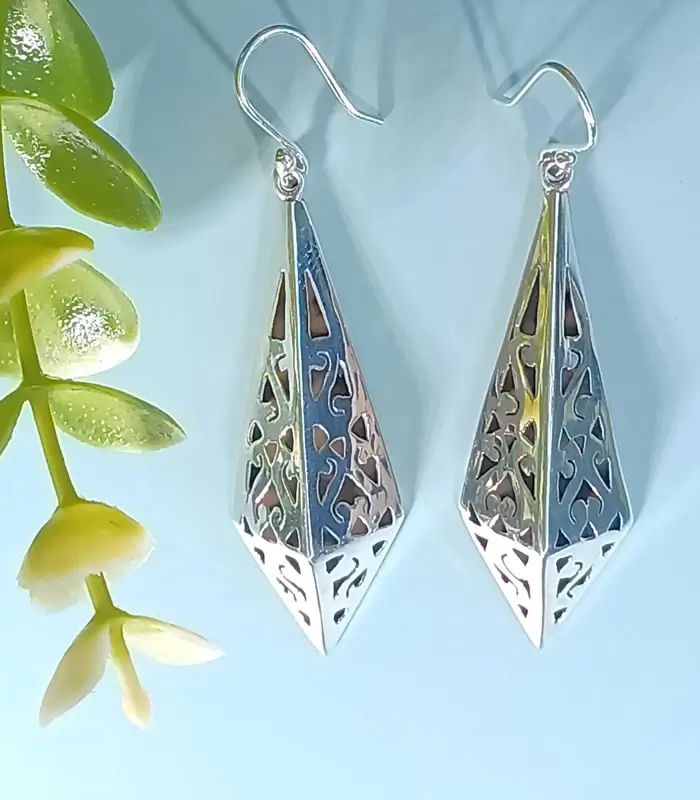
Statement earrings work exceptionally well on video calls. They frame your face within the camera frame and remain visible throughout the conversation. Choose earrings between 1-2 inches that create presence without overwhelming.
Necklaces in the 16-20 inch range typically appear within standard video framing. Shorter chokers may get cut off, while longer pendants might fall below the frame. Check your setup before important calls.
- Statement earrings 1-2 inches
- Necklaces 16-20 inches
- Bold pendant designs
- Structured pieces that hold shape
Colors and Metals That Pop
Gold jewelry tends to photograph warmer and more visibly than silver in typical indoor lighting. Yellow gold especially catches light well without creating harsh reflections.
Colored gemstones can add visual interest that distinguishes you in a grid of faces. Deep jewel tones like sapphire blue, emerald green, and ruby red read well on camera. Avoid pastels that may wash out.
- Yellow gold shows warmly
- Rose gold flatters most skin tones
- Jewel-tone gemstones add color
- Pearls provide elegant definition
What to Avoid on Camera
Extremely sparkly pieces can create distracting flashes on video, especially with ring lights or bright windows. Pavé settings and faceted crystals may produce strobe-like effects during movement.
Very small, delicate jewelry often becomes invisible on standard webcams. What looks elegantly minimal in person simply disappears on screen. Save your daintiest pieces for in-person occasions.
- Highly reflective surfaces
- Very small delicate pieces
- Noisy dangling jewelry
- Pieces that fall outside the frame
Styling Tips for Different Call Types
For professional meetings, err toward classic and understated. Simple gold hoops or studs with a modest pendant necklace reads as put-together without distraction. Let your words take focus rather than your accessories.
For social calls and casual meetings, you have more freedom to express personality. This is when statement earrings and colorful pieces can shine. Consider the background and your outfit when selecting pieces.
- Professional: classic, understated choices
- Social: opportunity for personality
- Interviews: memorable but not distracting
- Webinars: check how pieces appear recorded
Frequently Asked Questions
Should I wear different jewelry for different call types?
Yes, match your jewelry to the formality and purpose of the call just as you would for in-person meetings.
How do I prevent glare from jewelry on video?
Avoid highly polished surfaces and position lighting to the side rather than directly in front. Matte finishes create less glare.
Can earbuds and earrings work together?
Many earrings work fine with earbuds. Avoid hoops large enough to interfere with the cord or case. Small studs work with any earbud style.
What if my jewelry makes noise on the microphone?
Dangling bracelets and long necklaces may create sound when they hit the desk. Remove or adjust pieces that create unwanted noise.
You Might Also Like
- What Is the Best Jewelry for Work
- How to Style Minimalist Jewelry
- How to Choose Earrings for Your Face Shape